Rocket Arena Controls
Rockets, jetboots, hotbar habits, and mobile caveats for clean BrickBattle play.
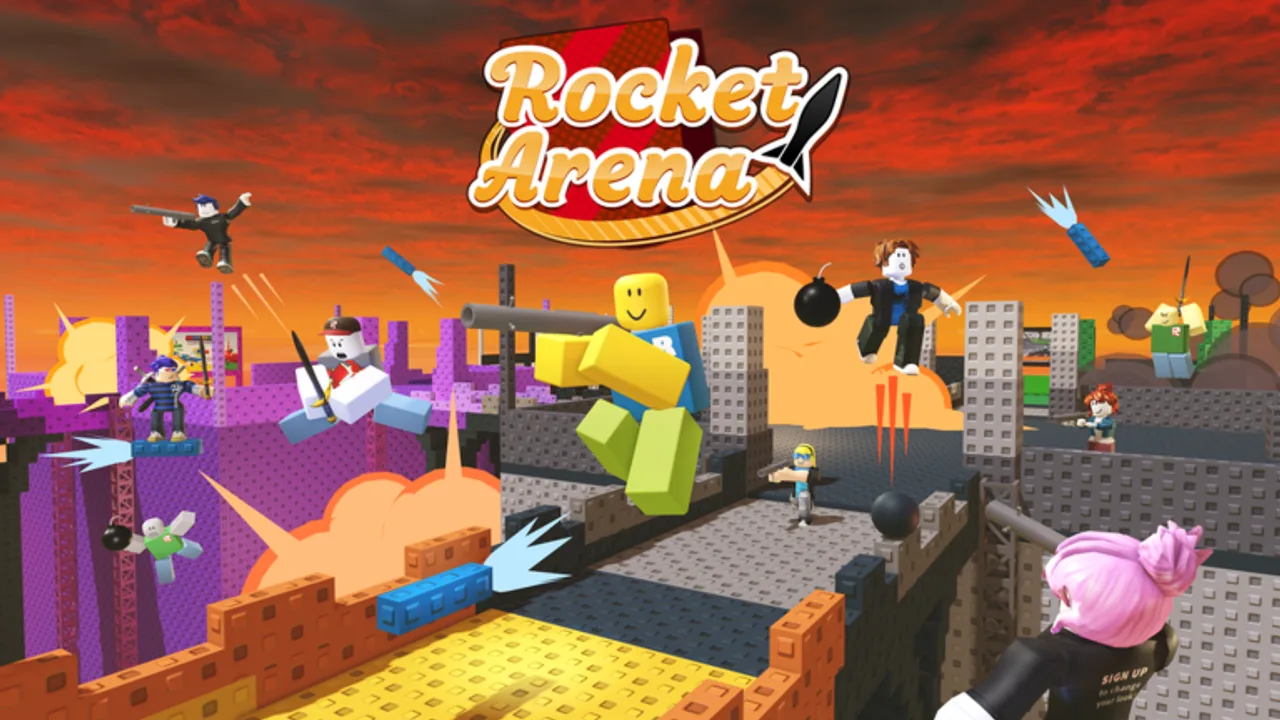
Rocket Arena looks simple until your fingers fight the UI. This page covers how to think about rockets, jetboots, the hotbar, camera habits, and mobile quirks so you can execute the tactics from Getting Started, Jetboots, and Knockout Tips without fumbling mid-air.
Exact keybinds can vary slightly between the Build N Blox remake and Classic Hunt servers, and Roblox lets players remap movement. Treat the sections below as the control model the arena expects, then confirm your personal binds in Roblox settings before a ranked-feeling Hunt KO grind.
Movement and camera
Standard Roblox movement applies: walk with your movement keys or left stick, jump normally, and steer the camera with mouse / right stick / touch drag. In Rocket Arena, camera discipline matters more than in many modern experiences because rocket arcs and edge awareness decide knockouts.
Desktop tips
- Keep the camera slightly elevated so you can see lava edges and bridge gaps early.
- When chasing vertically with jetboots, glance down often — most deaths are missed landings, not missed shots.
- Strafe while aiming rockets. Standing still on a 3x3 pad is free knockback practice for everyone else.
Console / controller tips
- Soft-aim around feet and bridge seams rather than torso center mass.
- Use shorter camera flicks between pads; wide spins cost awareness of who is behind you.
Rockets
Rockets are your primary knockout tool. Equip the rocket from the hotbar, aim where the explosion will shove the target, then fire. Direct hits matter, but splash near feet or near a lava lip often creates cleaner KOs than perfect center-mass shots that leave someone planted on solid brick.
Practical rocket habits
- Pre-aim the edge your opponent is backing toward.
- Fire before they commit jetboots so the blast catches the takeoff.
- Avoid point-blank detonations that also launch you into lava — self-knockback is real.
- After a miss, reposition instead of panic-spamming from the same angle.
During The Hunt’s five-KO requirement, boring reliable shots beat cinematic mid-air duels. See Knockout Tips for Hunt-speed routes.
Jetboots
Jetboots provide a short vertical lift — about six seconds of useful thrust in the classic BrickBattle feel. Bind / equip them so you can trigger thrust without hunting through the backpack mid-fight. The goal is controlled hops between platforms, emergency recovery after knockback, and brief high-ground peeks — not infinite flight.
Control model
- Activate thrust deliberately; release early to conserve the window.
- Combine a jump with thrust for cleaner takeoffs from pad centers.
- Steer with movement keys while thrusting; do not stare only upward.
- Plan the landing pad before you leave the current one.
Deep tactics, fuel discipline, and common mistakes live on the Jetboots guide. This page only ensures you can trigger and steer them under pressure.
Hotbar and tool switching
BrickBattle arenas punish slow inventory juggling. Keep rockets and jetboots on predictable hotbar slots so muscle memory works when bridges collapse.
Recommended mental layout
- Slot for rockets always in the same place.
- Jetboots adjacent so a single finger / tap swap recovers you after a blast.
- During Hunt lobby painting, keep the paintgun equipped until all eggs are done — do not accidentally swap back to rockets while hunting eggs in the 2008 lobby (Hunt Egg Locations).
If Roblox backpack UI is open, close it before entering a bridge fight. An open backpack is a voluntary KO.
Paintgun controls (Hunt lobby only)
In the 2008 Hunt lobby, Person299’s challenge requires the paintgun. Equip it, aim at each egg, and shoot to paint. Walking into eggs does not count. Confirm your counter climbs after each successful paint shot. When you are 10/10, you can switch focus to the Rocket Arena portal and KO grind.
Mobile notes
Mobile BrickBattle is playable but less precise. Expect these friction points:
- On-screen buttons compete with camera drag; shrink or rearrange touch UI if Roblox settings allow.
- Rocket aim is harder while simultaneously thrusting — prefer short jetboot hops, then fire from stable footing.
- Destructible bridges punish late thumb swaps; pre-equip rockets before committing across a weak bridge.
- For Hunt egg painting, stop moving before each shot so touch lag does not waste paint shots.
- If performance drops on crowded servers, lower graphics so input delay does not fake “bad aim.”
Many Hunt players finish eggs on mobile, then switch to desktop/controller for the five KOs if available. That is a quality-of-life choice, not a requirement.
Deeper mobile guidance
For a full touch-first walkthrough — Hunt lobby taps, Classic KO habits on phones, remake lag triage, and hotbar discipline — open Mobile Tips. Keep this Controls page for the shared rocket / jetboots / paintgun model across devices, then use Mobile Tips when thumbs are the bottleneck. Stuck Hunt counters still belong on Hunt Troubleshooting.
Common input mistakes
- Holding jetboots at full thrust until empty over open lava.
- Firing rockets while looking at the hotbar instead of the target’s feet.
- Jumping and thrusting in opposite directions, drifting off the 3x3 grid.
- Forgetting the paintgun is a separate tool from rockets during Hunt lobby work.
- Crouch / emote spam that eats attention while someone lines up a splash KO.
Practice drill (five minutes)
- Spawn and only practice pad-to-pad jetboot hops with landings centered — Jetboots.
- From a safe pad, practice rocket shots at empty bridge seams to learn splash timing.
- Break one bridge on purpose, then navigate using alternate routes from Map Layout.
- Do one intentional self-knockback recovery so you know how much thrust a save needs.
- If Hunt is active, paint one egg cleanly to verify paintgun feel before the full route.
Related pages
Return to Getting Started for the big picture, then apply these inputs on Map Layout and in Knockout Tips. Hunt reward claim steps stay on Brick-Blast Jetpack. Browse everything from the Guides Hub.
Clean controls will not invent talent, but sloppy binds will erase talent. Lock rockets, jetboots, and (for Hunt) the paintgun into boring muscle memory, then spend your attention on the lava and the other players.
Frequently Asked Questions
Quick answers about Rocket Arena, Hunt eggs, and knockouts.
What are the most important tools to bind?
Rockets and jetboots. During The Hunt’s 2008 lobby, also keep the paintgun ready until all ten eggs are painted.
Can I remap Rocket Arena controls?
Roblox movement and some actions follow your account/device settings. Confirm binds before a Hunt KO session so muscle memory matches the device you are on.
Why do my rockets feel like they fail on mobile?
Touch aim plus simultaneous thrust is hard. Fire from stable footing after short hops, read Mobile Tips for touch layouts, and consider finishing the five KOs on a mouse or controller if you can.
Where is the dedicated mobile guide?
See Mobile Tips for Hunt egg taps, Classic KO habits on phones, remake lag, and jetboot bursts on small screens.
Do I shoot eggs or touch them?
Shoot them with the paintgun. Touching alone does not count toward the Hunt egg counter.
How long should I hold jetboots?
Only as long as the hop needs. The classic lift window is about six seconds total — releasing early saves recovery thrust.
Where should I practice controls first?
Use quiet pads for hop drills, then read Map Layout and Jetboots before forcing chaotic mid-bridge fights.